Merchants
A merchant is a physical place that accepts bitcoin for goods or services. ATMs and exchanges are the only exception; they are only shown if you switch to the Exchanges filter.
Tapping a marker on the map opens a bottom sheet, which you can drag up to expand to full screen.
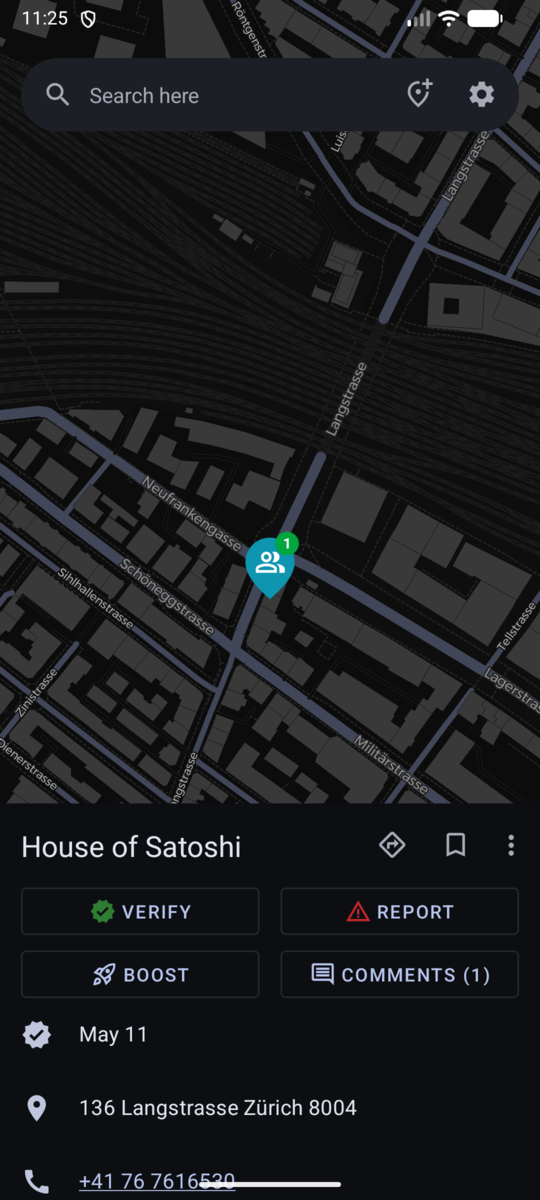
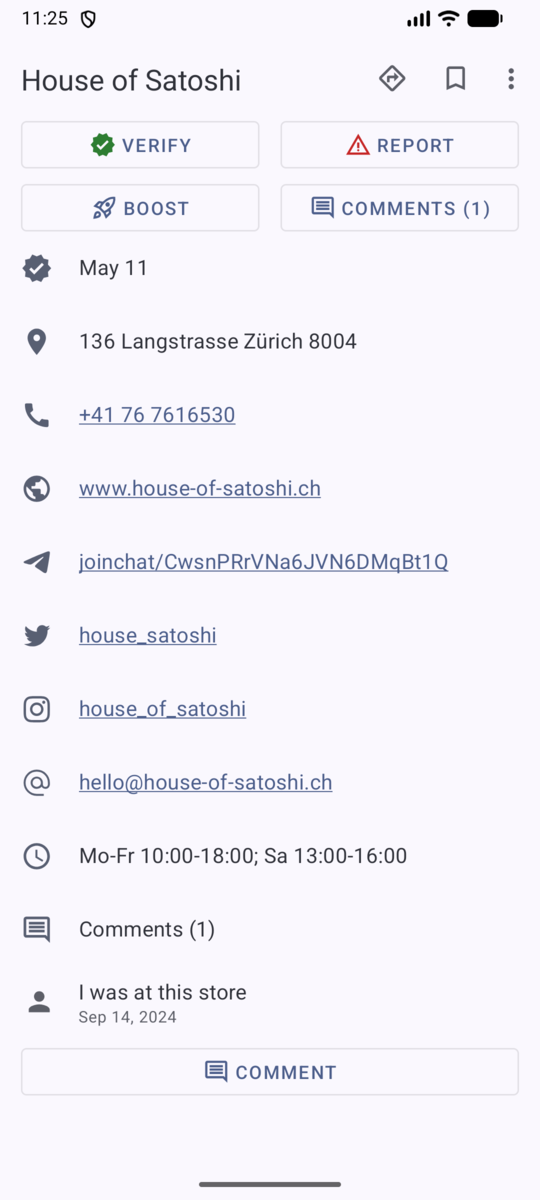
What merchant details show
Depending on what OpenStreetMap knows about it, a place can show:
- Its name and category icon.
- When it was last verified, or a warning that it is not verified or may be outdated.
- Address, phone, website, email and opening hours.
- Social links such as Twitter/X, Telegram, LINE, Facebook and Instagram.
- A note when a place needs a companion app to pay at it.
- A preview of its comments and how many there are.
- Buttons for Verify, Report, Comments and Boost, and a button to add a comment.
The place menu
The overflow menu on a place has:
- Directions — hand the coordinates to your maps app.
- Share — share a
btcmap.org/merchant/...link. - View on btcmap.org — open the place on the website.
- Save — bookmark the place. Signing in is required the first time; saved places are listed in your profile. See BTC Map account .
Verify or report a place
Verifying and reporting help keep the map trustworthy. Both require an account, but no personal data: any username works, including a throwaway one. The account is only there to prevent spam and to let you follow the status of your submissions. Open a place and choose:
- Verify — you confirmed the place exists and still accepts bitcoin.
- Report — choose the situation:
- Verified — still accepts Bitcoin
- Refused Bitcoin payment
- Out of business
You can add optional notes for reviewers. Reports are submitted to the BTC Map community for review, and a message confirms when yours has been sent.
Add a place
To add a place that is missing, tap Add location in the top menu of the map. An account is required. Fill in:
- Category — for example
cafe. - Address or directions.
- Website (optional).
- Extra notes (optional).
Drag the map to set the exact location, then submit. The place is sent for review, and you will see a confirmation that it was submitted.
Where the data goes
Places come from OpenStreetMap. Adding, editing or deleting a place ultimately
happens there: a place you delete in OpenStreetMap disappears from BTC Map
within about ten minutes, and a merchant that no longer accepts bitcoin is
removed by editing its currency:XBT tag. The
tagging instructions
explain how.
Next: Events .
Back to the documentation index .